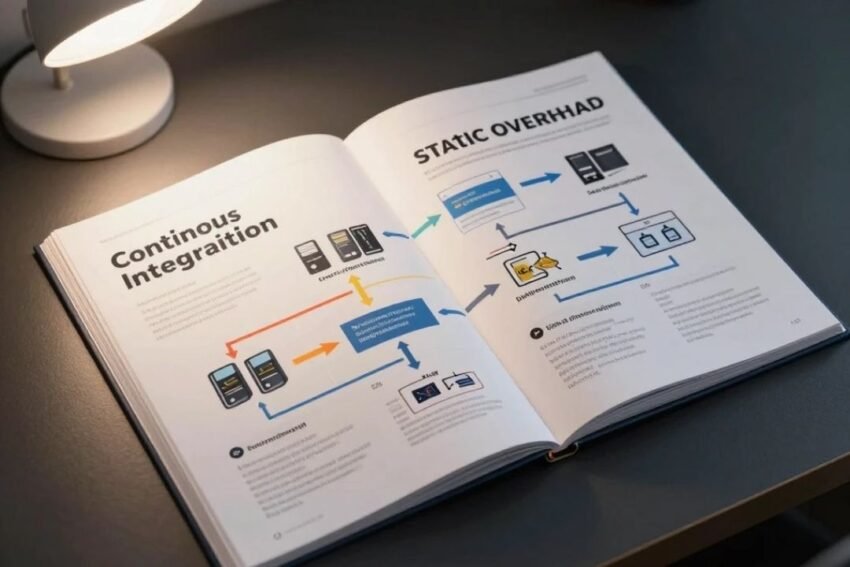
Introduction
A DevOps CI/CD pipeline is one of the most important technologies for modern software development. As businesses increasingly depend on websites, mobile applications, cloud platforms, APIs, and digital services, development teams need efficient ways to deliver software quickly without sacrificing quality or security.
Traditional software releases often involve many manual steps. Developers write code, testers check applications, operations teams prepare infrastructure, and another team may handle production deployment. When these processes are disconnected, releases can become slow and errors can be difficult to identify.
CI/CD changes this approach by automating important parts of the software development lifecycle. A well-designed pipeline can automatically build code, run tests, perform security checks, create deployment packages, and release applications to different environments.
Combined with DevOps practices, CI/CD can create a culture of continuous improvement and shared responsibility.
In 2026, modern CI/CD pipelines are increasingly connected with cloud computing, containers, Kubernetes, Infrastructure as Code, DevSecOps, observability, GitOps, and AI-assisted automation.
This complete DevOps CI/CD pipeline guide explains how CI/CD works, its stages, benefits, popular tools, best practices, security considerations, common challenges, and future trends.
What Is a DevOps CI/CD Pipeline?
A CI/CD pipeline is an automated workflow that moves software changes from source code through testing and deployment.
CI stands for Continuous Integration.
CD can refer to Continuous Delivery or Continuous Deployment.
The pipeline usually connects several stages:
Code → Build → Test → Security → Package → Deploy → Monitor
Each organization can customize the pipeline according to its technology stack and business requirements.
The goal is to make software delivery faster, repeatable, reliable, and easier to manage.
What Is Continuous Integration?
Continuous Integration (CI) is a software development practice where developers regularly integrate code changes into a shared repository.
When a developer submits code, automated systems can:
- Build the application
- Run automated tests
- Check code quality
- Scan dependencies
- Detect potential problems
This provides developers with rapid feedback.
Instead of discovering integration problems weeks later, teams can identify issues shortly after code is introduced.
What Is Continuous Delivery?
Continuous Delivery extends CI by ensuring that successfully tested software remains ready for deployment.
A typical workflow may automatically:
- Build the application.
- Run tests.
- Perform security checks.
- Create a release package.
- Deploy it to staging.
- Wait for an appropriate approval.
- Prepare production deployment.
Continuous Delivery does not necessarily mean that every change is automatically released to production.
What Is Continuous Deployment?
Continuous Deployment goes one step further.
When a change successfully passes the required automated checks, it can be deployed automatically to production.
This can enable very frequent software releases.
However, continuous deployment should be implemented carefully. Strong testing, monitoring, security controls, and rollback strategies are important.
CI vs CD
The difference is simple:
Continuous Integration
Focuses on integrating and testing code frequently.
Continuous Delivery
Keeps tested software ready for release.
Continuous Deployment
Automatically releases successfully validated changes to production.
Together, these practices create a continuous software delivery process.
How a CI/CD Pipeline Works
A modern CI/CD pipeline typically contains several stages.
1. Source Code Management
Developers store code in a version-control system such as Git.
When code is committed or a pull request is created, the pipeline can automatically start.
Version control provides:
- Change history
- Collaboration
- Branch management
- Code review
- Rollback possibilities
2. Build Stage
The pipeline retrieves source code and creates a build artifact.
Depending on the application, this could involve:
- Compiling source code
- Installing dependencies
- Packaging files
- Building container images
A successful build indicates that the application can be prepared for testing or further delivery.
3. Automated Testing
Testing is a critical component of CI/CD.
Automated tests can include:
Unit Tests
Test individual functions or components.
Integration Tests
Check whether different components work together.
API Tests
Validate API behavior and responses.
End-to-End Tests
Test complete user workflows.
Performance Tests
Evaluate system behavior under different workloads.
Automated testing allows teams to detect problems before deployment.
4. Code Quality Checks
Code-quality tools can identify potential problems.
They may detect:
- Programming errors
- Code smells
- Duplicated code
- Maintainability issues
Quality checks can become part of the pipeline so that developers receive feedback automatically.
5. Security Scanning
Modern pipelines should include security controls.
Security checks can scan:
- Source code
- Dependencies
- Container images
- Infrastructure configurations
- Secrets
This is a core principle of DevSecOps.
Security should not be treated as something that happens only after software is completed.
6. Package and Artifact Creation
Once software passes required checks, the pipeline can create a versioned artifact.
Artifacts may include:
- Application packages
- Container images
- Libraries
- Deployment bundles
Versioning makes it easier to identify exactly what is being deployed.
7. Staging Deployment
Many organizations deploy applications to a staging environment before production.
Staging can be designed to resemble the production environment.
Teams can then perform additional:
- Functional testing
- Security validation
- Performance testing
- User acceptance testing
8. Production Deployment
After successful validation, the application can be deployed to production.
Deployment approaches include:
- Rolling deployments
- Blue-green deployments
- Canary releases
- Automated deployment
The best strategy depends on application requirements and risk tolerance.
9. Monitoring and Observability
The pipeline does not end when software reaches production.
Teams need to monitor the application afterward.
Important signals include:
- Errors
- Response times
- Availability
- CPU usage
- Memory usage
- Logs
- Distributed traces
Observability helps engineers understand what is happening inside complex applications.
Benefits of DevOps CI/CD
Faster Development
Automation reduces the amount of manual work required for releases.
Faster Feedback
Developers can quickly discover whether a change causes problems.
Better Software Quality
Automated tests can catch defects earlier.
Consistent Deployments
Automation creates repeatable deployment processes.
Reduced Human Error
Automated workflows can reduce mistakes caused by repetitive manual tasks.
More Frequent Releases
Teams can release smaller changes more frequently.
Improved Collaboration
Development, operations, and security teams can work together through shared workflows.
Popular CI/CD Tools
Several tools are commonly used to create CI/CD workflows.
Jenkins
Jenkins is an automation server that can be used to create customized CI/CD pipelines.
GitHub Actions
GitHub Actions provides workflow automation integrated with GitHub repositories.
GitLab CI/CD
GitLab includes integrated CI/CD capabilities for software development workflows.
Azure DevOps
Azure DevOps provides tools for planning, source control, pipelines, testing, and related development workflows.
CircleCI
CircleCI provides automation and CI/CD capabilities for development teams.
Argo CD
Argo CD is commonly associated with GitOps-based continuous delivery for Kubernetes environments.
The best tool depends on the team’s infrastructure, programming languages, cloud environment, security requirements, and workflow preferences.
CI/CD and Git
Git is fundamental to many modern CI/CD pipelines.
Developers can use branches to work on new features or fixes.
A typical workflow might be:
- Create a branch.
- Write code.
- Commit changes.
- Open a pull request.
- Run automated CI checks.
- Review code.
- Merge the change.
- Trigger additional deployment workflows.
This creates a structured process for introducing software changes.
CI/CD with Docker
Docker containers are commonly used in CI/CD.
A pipeline can:
- Build application code.
- Create a Docker image.
- Run tests.
- Scan the image.
- Store the image in a registry.
- Deploy it to an environment.
Containers can help create consistency between development, testing, and production.
CI/CD and Kubernetes
Kubernetes is widely used for managing containerized applications.
CI/CD pipelines can automate Kubernetes deployments.
A common workflow is:
Code → Build → Test → Container Image → Security Scan → Kubernetes Deployment → Monitoring
Tools such as GitOps platforms can further automate Kubernetes delivery.
Infrastructure as Code in CI/CD
Infrastructure as Code allows teams to manage infrastructure through configuration files.
Instead of manually creating infrastructure, teams can define resources using code.
IaC can be integrated into CI/CD pipelines for:
- Infrastructure validation
- Security checks
- Automated provisioning
- Environment creation
This can improve consistency and repeatability.
DevSecOps in CI/CD
DevSecOps adds security throughout the pipeline.
Important practices include:
Secret Detection
Prevent passwords and API keys from entering repositories.
Dependency Scanning
Identify vulnerabilities in third-party libraries.
Static Application Security Testing
Analyze source code for potential vulnerabilities.
Container Scanning
Check container images for known security issues.
Infrastructure Security
Review infrastructure configuration before deployment.
Security controls should be automated where practical.
CI/CD Pipeline Example
Consider a web application.
A developer changes the application’s login system.
The workflow might be:
Step 1: Code Commit
The developer pushes changes to the repository.
Step 2: CI Starts
The pipeline automatically begins.
Step 3: Build
The application is built.
Step 4: Unit Tests
Automated tests validate the login functionality.
Step 5: Security Scan
Dependencies and code are checked.
Step 6: Container Build
A new container image is created.
Step 7: Staging Deployment
The application is deployed to staging.
Step 8: Integration Tests
Automated tests verify the complete login workflow.
Step 9: Production Deployment
After required validation, the release is deployed.
Step 10: Monitoring
Production metrics and logs are monitored.
This process can happen with minimal manual intervention.
Best CI/CD Practices in 2026
Keep Pipelines Fast
Long pipelines can slow development.
Optimize unnecessary steps and run appropriate tests efficiently.
Automate Testing
Automated tests should be a core part of CI.
Protect Secrets
Use dedicated secret-management systems instead of storing credentials in source code.
Use Versioned Artifacts
Every release should be identifiable.
Monitor Production
Deployment without monitoring can create operational risk.
Use Rollback Strategies
Teams should be able to recover from failed deployments.
Integrate Security
Security checks should be included throughout the pipeline.
Use Infrastructure as Code
Automated infrastructure improves consistency.
Document Pipelines
Teams should understand how their delivery workflows operate.
Progressive Delivery
Progressive delivery allows teams to release changes gradually.
Instead of sending a new version to all users immediately, a small percentage can receive it first.
Common approaches include:
Canary Deployment
Release the change to a limited group.
Blue-Green Deployment
Maintain two environments and switch traffic between them.
Feature Flags
Enable or disable specific features without necessarily redeploying the entire application.
These strategies can reduce deployment risk.
Automated Rollbacks
A failed deployment can affect users and business operations.
Automated rollback systems can help return an application to a previous stable version when predefined conditions are met.
Rollback strategies should be tested rather than assumed to work.
Observability and CI/CD
Modern CI/CD pipelines should be connected to observability systems.
After deployment, teams can evaluate:
- Error rates
- Latency
- Traffic
- Resource usage
- Logs
- Traces
If a deployment causes abnormal behavior, engineers can investigate quickly.
AI in CI/CD
Artificial Intelligence is increasingly influencing CI/CD workflows.
AI-assisted systems may help with:
- Test generation
- Code analysis
- Log investigation
- Failure classification
- Anomaly detection
- Pipeline optimization
However, AI-generated recommendations should be reviewed carefully before automatically changing production infrastructure.
Platform Engineering and CI/CD
Platform engineering can make CI/CD easier for developers.
Internal platforms can provide standardized:
- Build pipelines
- Deployment templates
- Security controls
- Infrastructure provisioning
- Monitoring integrations
This allows developers to use approved workflows without managing every infrastructure detail themselves.
GitOps and Continuous Delivery
GitOps uses Git as a source of truth for application and infrastructure configuration.
When the desired configuration changes in Git, automated systems can synchronize the target environment.
GitOps can improve:
- Auditability
- Reproducibility
- Change tracking
- Collaboration
- Recovery
It is especially useful in Kubernetes-based environments.
Common CI/CD Challenges
Flaky Tests
Unreliable tests can reduce trust in the pipeline.
Slow Pipelines
Long build and testing times can delay developers.
Tool Sprawl
Too many disconnected tools can increase complexity.
Security Risks
CI/CD systems can have extensive access to source code and infrastructure, making pipeline security extremely important.
Poor Monitoring
Without monitoring, teams may not know whether a deployment is successful from a user perspective.
Configuration Drift
Manual infrastructure changes can cause environments to become inconsistent.
How to Improve a CI/CD Pipeline
Organizations can improve their pipelines gradually.
Step 1
Measure current deployment performance.
Step 2
Identify repetitive manual tasks.
Step 3
Automate build and testing.
Step 4
Add security scanning.
Step 5
Automate staging deployment.
Step 6
Improve monitoring.
Step 7
Introduce safer production deployment strategies.
Step 8
Add automated rollback capabilities.
Step 9
Review pipeline performance regularly.
Continuous improvement is more sustainable than trying to automate everything at once.
CI/CD Metrics
Teams can measure pipeline effectiveness through several metrics.
Deployment Frequency
How often successful deployments occur.
Lead Time for Changes
How long changes take to reach production.
Change Failure Rate
How often deployments cause failures or require remediation.
Mean Time to Recovery
How quickly teams restore service after a failure.
These metrics can provide insight into software delivery performance.
Future of DevOps CI/CD
The future of DevOps and CI/CD will likely involve deeper automation, AI assistance, cloud-native infrastructure, security integration, and better developer experiences.
AI will increasingly help teams analyze pipeline failures and operational data.
Platform engineering will simplify complex infrastructure for developers.
GitOps will continue to influence cloud-native deployment workflows.
DevSecOps will become more deeply integrated into pipelines as software supply-chain risks receive greater attention.
Observability will also become increasingly important because modern applications are distributed across many services and environments.
Frequently Asked Questions
What is a CI/CD pipeline?
A CI/CD pipeline is an automated workflow that builds, tests, validates, and delivers software changes.
What is the difference between CI and CD?
Continuous Integration focuses on integrating and testing code frequently. Continuous Delivery keeps software ready for release, while Continuous Deployment can automatically release successful changes to production.
What are popular CI/CD tools?
Popular options include Jenkins, GitHub Actions, GitLab CI/CD, Azure DevOps, CircleCI, and Argo CD.
Why is CI/CD important?
CI/CD can improve software delivery speed, consistency, testing, collaboration, and reliability.
Is CI/CD part of DevOps?
Yes. CI/CD is an important set of practices used within broader DevOps workflows.
What is DevSecOps?
DevSecOps integrates security into software development and delivery rather than treating it as a separate final-stage process.
Can CI/CD work with Kubernetes?
Yes. CI/CD pipelines are commonly used to build, test, scan, and deploy containerized applications to Kubernetes environments.
How does AI affect CI/CD?
AI can assist with code analysis, test generation, log analysis, anomaly detection, and pipeline troubleshooting.
Conclusion
A DevOps CI/CD pipeline provides a structured and automated approach to modern software delivery. Instead of relying on lengthy manual release processes, organizations can automate building, testing, security validation, packaging, deployment, and monitoring.
Continuous Integration helps developers integrate and test changes frequently. Continuous Delivery keeps successfully validated software ready for release, while Continuous Deployment can automatically deliver changes to production.
The benefits can be significant. Organizations can achieve faster development cycles, quicker feedback, more consistent deployments, improved software quality, and reduced manual errors.
Modern CI/CD pipelines are increasingly connected with cloud computing, Docker, Kubernetes, Infrastructure as Code, GitOps, DevSecOps, and observability.
Security should be included throughout the pipeline. Dependency scanning, secret detection, code analysis, container scanning, and infrastructure security checks can help identify problems before deployment.
Progressive delivery strategies such as canary releases, blue-green deployments, and feature flags can further reduce production risk. Automated rollback capabilities can also help organizations recover from unsuccessful releases.
Artificial Intelligence is another major development. AI-assisted systems can help developers and operations teams analyze failures, generate tests, identify anomalies, and understand complex logs. However, critical production decisions should include appropriate validation and human oversight.
Platform engineering is also improving the developer experience by providing standardized deployment and infrastructure workflows.
Ultimately, successful CI/CD is not simply about selecting a tool. It requires good engineering practices, reliable testing, security controls, monitoring, collaboration, and continuous improvement.
Organizations that build mature DevOps CI/CD pipelines in 2026 can deliver software more frequently while maintaining greater control over quality, security, and reliability.
The most effective approach is to start with a clear workflow, automate repetitive tasks, measure performance, improve testing, integrate security, and continuously refine the delivery process.
A strong CI/CD pipeline helps transform software delivery from a slow, manual process into a continuous, automated, measurable, and reliable engineering practice.